Remote for LG webOS TVs
Your TV remote, right on your phone.
Webmote is a fast, private remote for LG TVs running webOS. Open it and press a button, or don’t open it at all.
Coming soon to Google Play
Join the closed test- Free
- Android 8.0+
- LG webOS 4+ (2018 and later)
Without opening the app
The quickest remote is the one you don’t have to open.
Mute, change the volume or switch the TV off from wherever your thumb already is.
Quick Settings tiles
Power, Mute, Screen off (the sound keeps playing) and Open remote, one swipe down from anywhere.
Home-screen widgets
A 4×1 strip with power, volume and mute, and a 4×2 mini remote with a D-pad.
Your phone’s volume keys
They change the TV’s volume, even with the phone locked. You can turn this off.
A notification while the TV is on
Volume down, mute, volume up and power, right in your notifications.
The remote
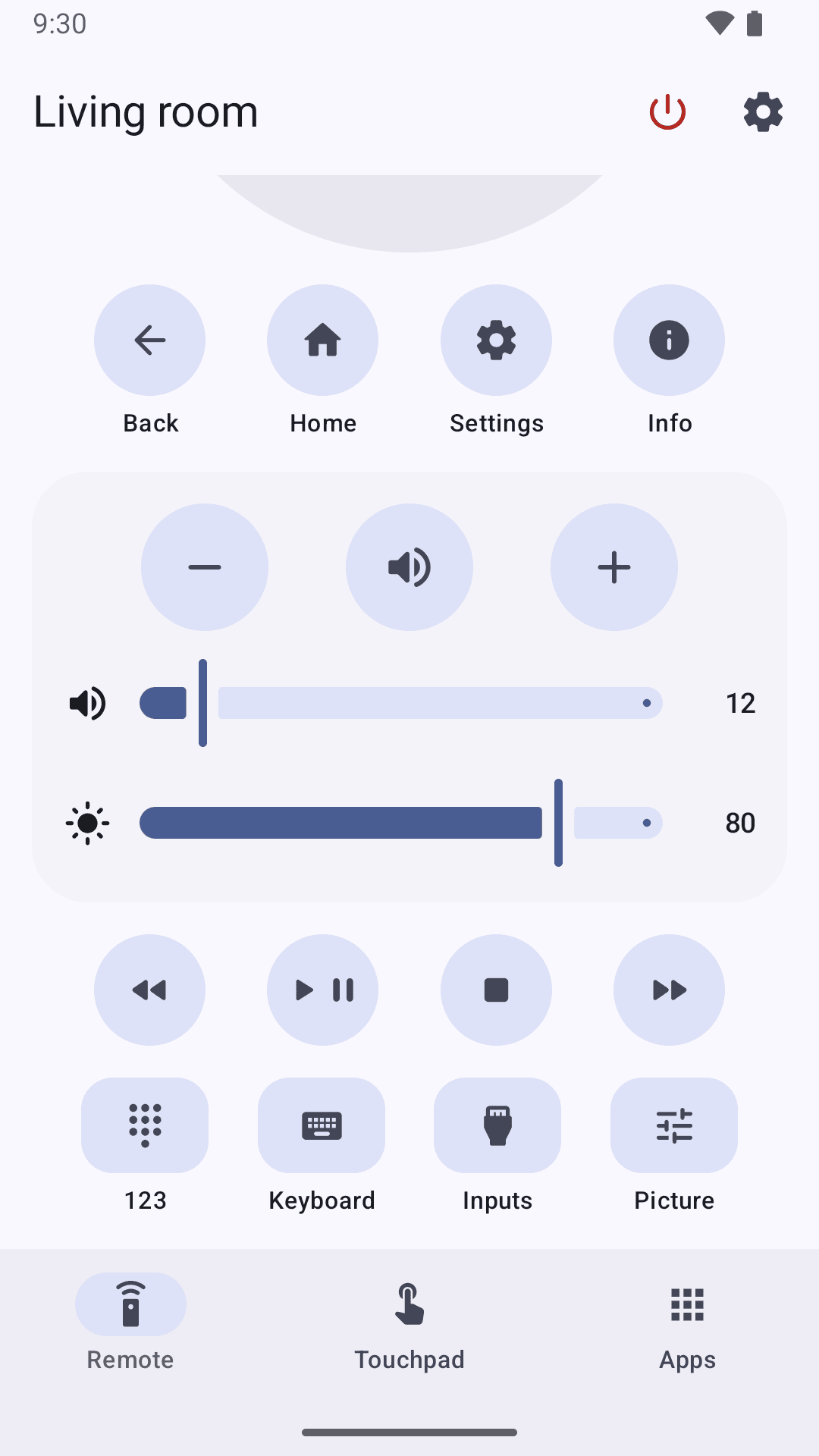
Everything on one screen.
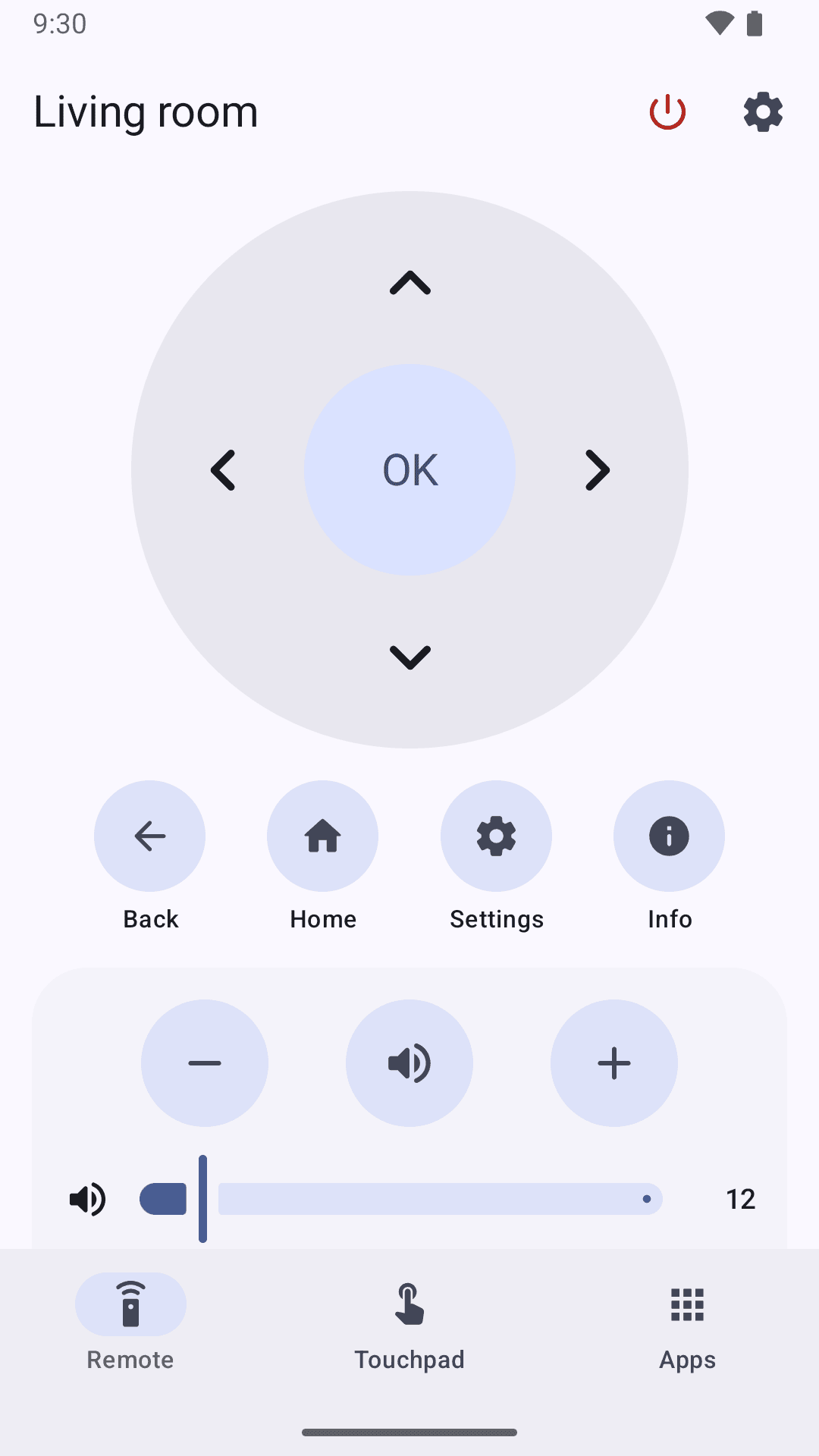
The buttons you reach for every evening, laid out like a real remote, with sliders that follow what the TV is actually doing.
- D-padOK, Back, Home, Settings and Info.
- The real volumeA slider that follows the TV’s actual level, with mute and ±.
- BrightnessBacklight, or OLED light on OLED sets.
- Media keysPlay/pause, stop, rewind and fast-forward.
- Inputs and 123 padHDMI 1, 2, 3…, channels, numbers and the colour keys.
- Live keyboardType on your phone and the text appears on the TV as you type.
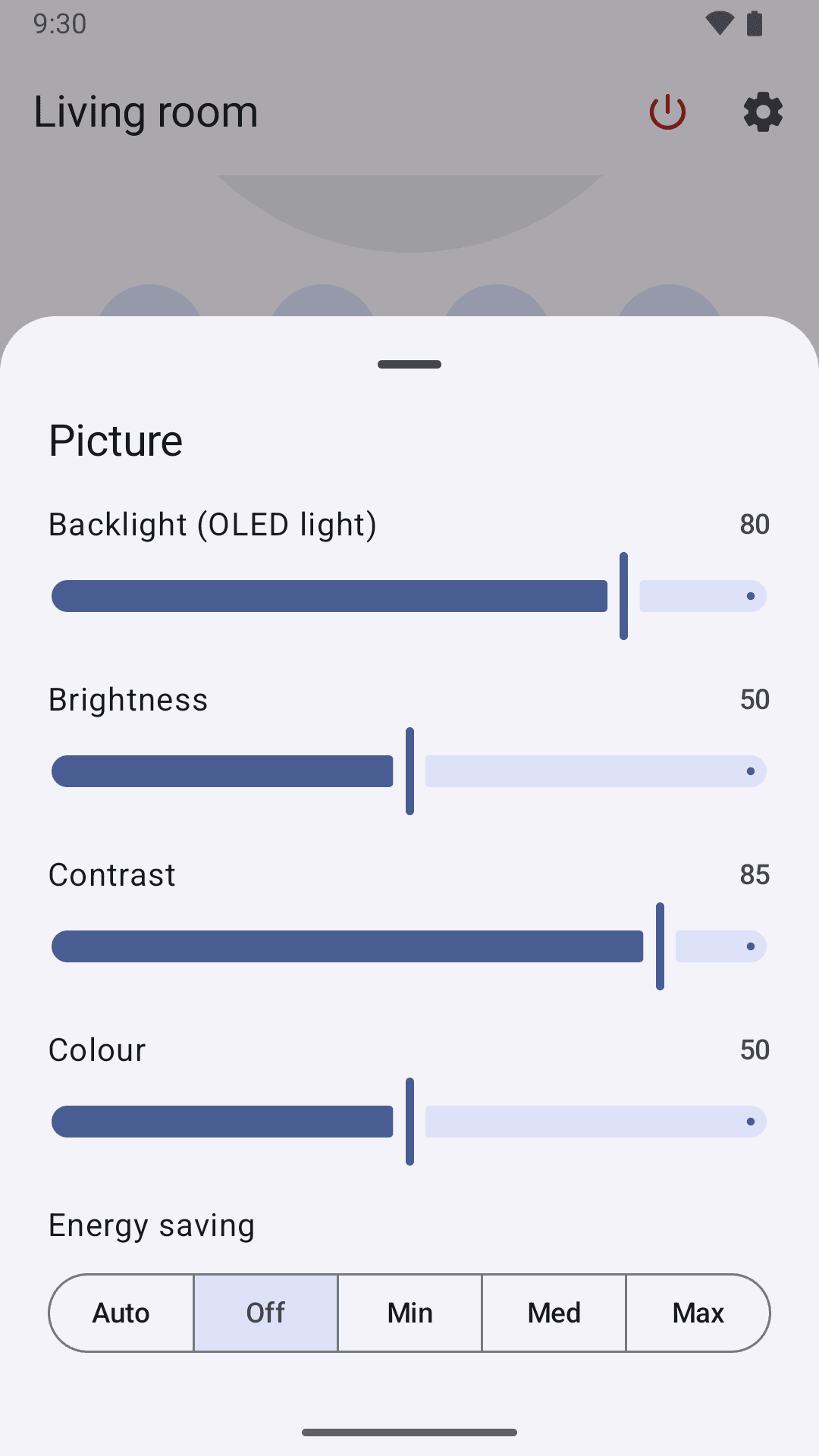
Picture
Tune the picture without the menu maze.
Brightness, contrast, colour and energy saving, in a Picture sheet that shows the TV’s current values.
If your TV ignores picture changes, Webmote greys the controls out and tells you why, instead of pretending they work.
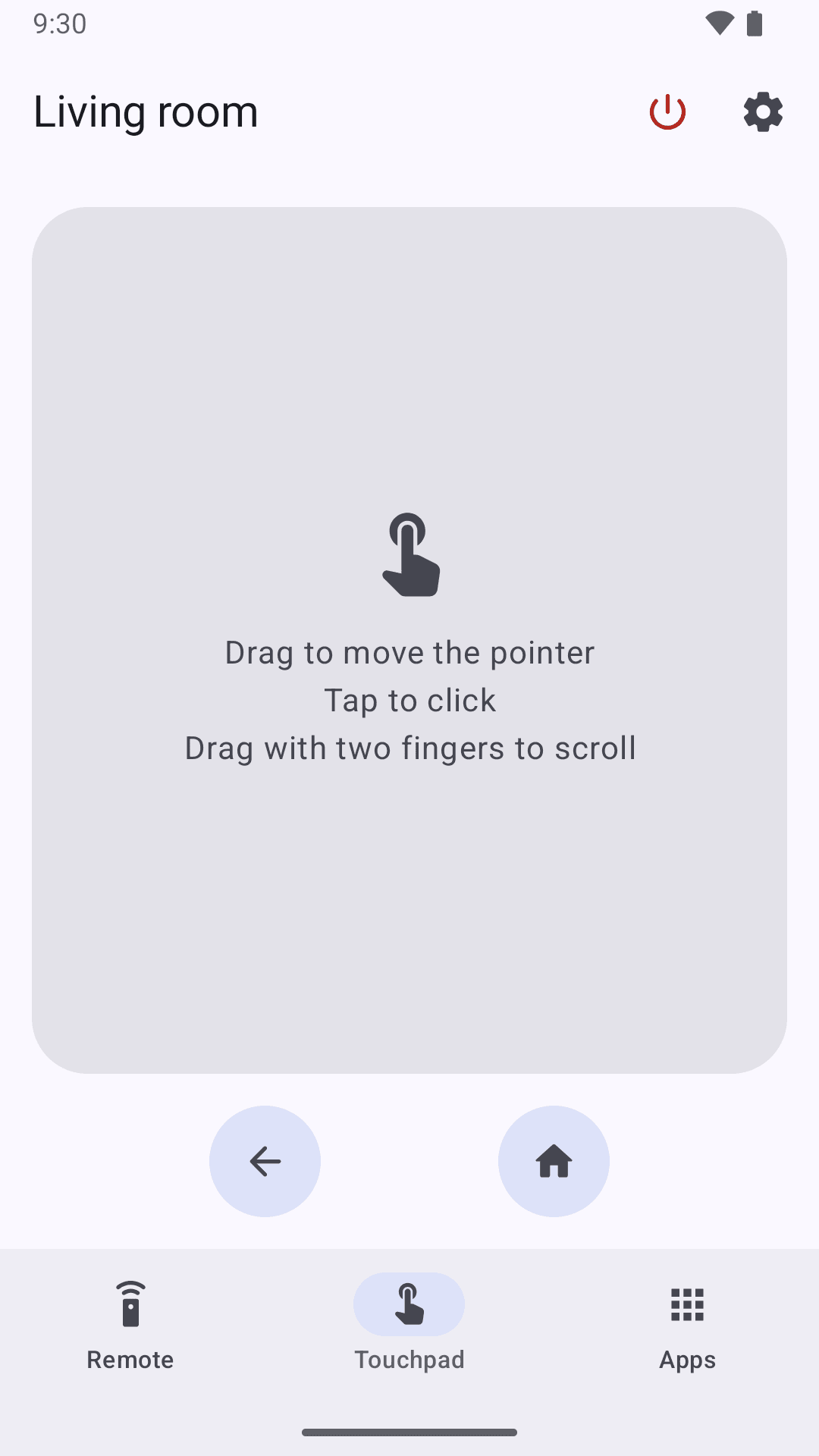
Touchpad and apps
A pointer when you need one. Every app, one tap away.
Power
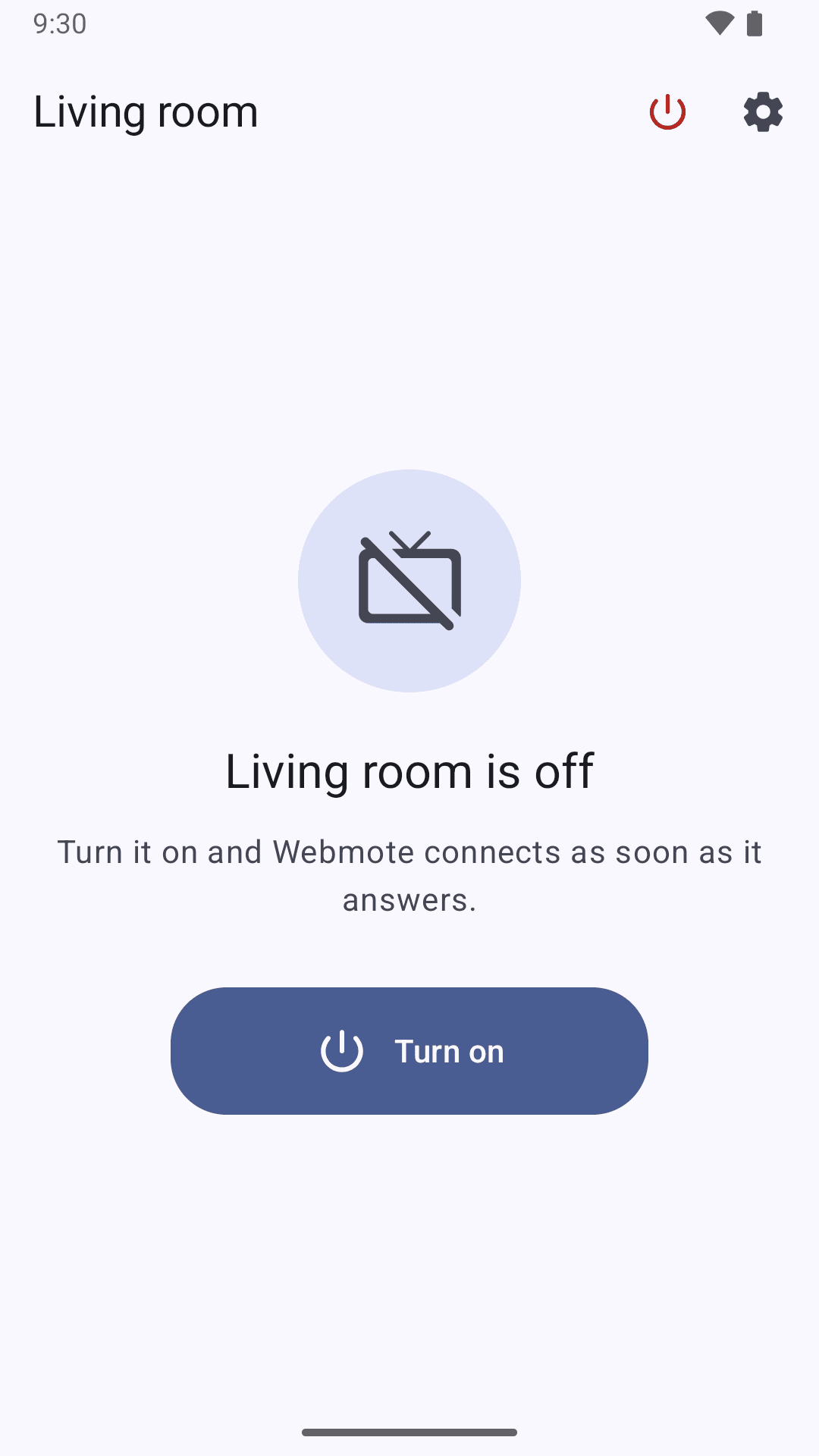
TV off?
One tap and it’s on.
When the TV is off, Webmote shows a single Turn on button. One tap wakes the TV with Wake-on-LAN, and the remote appears as soon as it answers.
Every TV in the house
Save each TV, give it a name like Living room or Bedroom, and switch between them from the top bar.
Private by design
What happens in your living room stays there.
Webmote collects nothing. It talks to your TVs, on your own network, and to nothing else.
No account
Nothing to sign up for. Install it, pair your TV, done.
No analytics
No tracking, no crash reporting, no third-party code sending data anywhere.
Only your TV
Commands go straight to your TV, over an encrypted connection on your home network.
Your TV, verified
Each TV’s security certificate is recorded when you pair it, so another device can’t pretend to be your TV.
This website doesn’t track you either: no cookies, no analytics, nothing loaded from anywhere else.
Requirements
What you need
An LG TV with webOS 4 or later
2018 models onwards.
An Android phone
Android 8.0 or later.
The same Wi-Fi network
Your phone and your TV on the same home network.
To turn the TV on from your phone
Allow the TV to be woken over the network. Depending on the model:
- Most models
- Turn on “Turn on via Wi-Fi”Menu path: SettingsGeneralMobile TV On
- 2025 models and later
- Turn on “Wake on LAN”Menu path: SupportIP control settings
Webmote speaks English and French.
FAQ
Questions
When can I get it?
Soon. Webmote goes through a closed test on Google Play before it opens to everyone. Want to try it early? Write to hello@canapestudio.app.
Which TVs does Webmote work with?
LG TVs running webOS 4 or later, which means LG smart TVs from 2018 onwards. Older LG models, and TVs from other brands, aren’t supported.
Is Webmote free?
Yes. Webmote is free, with nothing locked.
Do I need an account?
No. There’s nothing to sign up for: Webmote talks only to your TV, on your own network.
Why doesn’t Turn on wake my TV?
The TV has to allow it. Turn on “Turn on via Wi-Fi” (Settings › General › Mobile TV On) or, on 2025 models and later, “Wake on LAN” (Support › IP control settings). Your phone also needs to be on the same network as the TV.
Why are some picture settings greyed out?
Some TVs ignore picture changes sent by apps. When yours does, Webmote greys the controls out and tells you why, instead of pretending they work.
Does it work with the phone locked?
Your phone’s volume keys keep changing the TV’s volume while the phone is locked; you can turn this off in Webmote’s settings. The tiles, widgets and notification work without opening the app.
Is Webmote made by LG?
No. Webmote is an independent app by Canapé Studio. It is not affiliated with, endorsed or sponsored by LG Electronics.
Is there an iPhone version?
No, Webmote is an Android app.

Pick up your phone, not the remote.
Coming soon to Google Play
Join the closed test- Free
- Android 8.0+
- LG webOS 4+ (2018 and later)